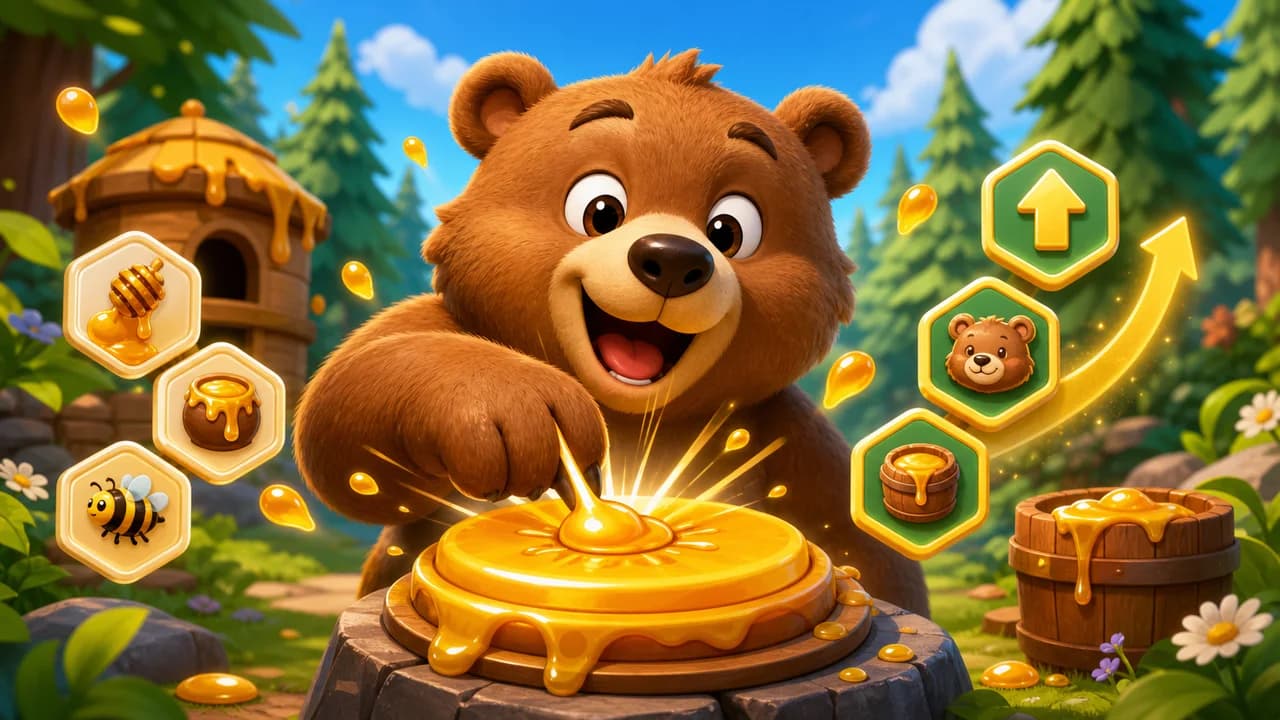
 Bear Clicker
Bear Clicker
- Developer:
- OzoGames
- Rating:
- New
- Released:
- Technology:
- HTML5 Canvas iframe
- Platforms:
- Desktop, Mobile, Tablet
Game overview
Play Bear Clicker online for free. Tap the bear for honey, unlock click and idle upgrades, level up your bear, and build a faster HTML5 clicker run.
How to play
- Click inside the game frame after it loads so the canvas can receive input.
- Click or tap the bear to earn honey with each active click.
- Spend honey on click upgrades and idle upgrades in the Honey Store.
- Watch your honey per second and level progress to decide which upgrade helps most.
- Use prestige later in the run when the game offers a permanent multiplier boost.
 Planet Clicker
 FNF Unblocked
 Slope Unblocked
 Snow Rider 3D Unblocked
 Football Bros
 Acceleration City
 Core Ball
 Steal A Brainrot Unblocked
 Bit Planes
 Rocket Goal
Walkthrough
Bear Clicker guide
Tap the bear, collect honey, buy upgrades, and grow a relaxed idle clicker run.
Play Bear Clicker online
Bear Clicker is a browser idle clicker game about turning simple taps into a growing honey economy. You start by clicking the bear for small honey rewards, then use that honey to unlock upgrades that make each future click or second of idle play more valuable.
This Bear Clicker page is built for players who want to open Bear Clicker online without a download. The game runs through an external HTML5 iframe from OzoGames, so it can load inside the site player while the guide, controls, and related games stay close on the same page.
The Bear Clicker game keeps the loop easy to read: click the bear, check the Honey Store, buy the most useful upgrade, and watch the bear level move forward. As production improves, the game adds larger numbers, stronger upgrades, achievements, and a prestige option for longer runs.
How Bear Clicker gameplay works
The main Bear Clicker gameplay loop has two parts. Active clicking gives instant honey, while idle upgrades add honey per second in the background. Early upgrades improve direct click power, and later store items add steady automatic income so progress continues even when you are not tapping constantly.
The level bar tracks lifetime honey and changes the bear title as your run grows. That gives Bear Clicker a clear sense of progress without complicated missions. You can play for a short burst, buy a few upgrades, then come back later to continue building the same honey engine.
A good first run is simple: load the Bear Clicker game, click inside the frame to focus it, tap the bear until the first upgrade is affordable, then compare click upgrades with idle upgrades. Buying the option with the best immediate return usually makes the next minute smoother.
- Click actively at the start to reach the first Honey Store upgrades.
- Balance click power with honey-per-second upgrades.
- Prestige only after the reward is large enough to justify restarting the run.
Bear Clicker tips for faster honey
Players searching for Bear Clicker tips or a Bear Clicker walkthrough usually want to move past the slow opening. The safest approach is to buy affordable click upgrades early, then add idle income once honey per second starts to matter. This keeps active play rewarding while building a base for passive progress.
If a click does not seem to do anything, click once inside the frame first, wait for the canvas to finish loading, and then try again. Bear Clicker stores progress in the browser, so avoid clearing site data if you want to keep your run.
Watch upgrade costs instead of buying only the newest item. Sometimes a cheaper older upgrade gives better value than saving for a large purchase. When progress slows, compare the next click upgrade, the next idle upgrade, and the possible prestige reward before spending honey.
- Use desktop play for the fastest repeated clicks.
- Let idle income build while you compare store options.
- Refresh once if the preloader stays on screen too long.
Bear Clicker controls and device support
Bear Clicker controls are simple mouse and touch inputs. On desktop, click inside the game frame and use the mouse or trackpad to tap the bear and press upgrade cards. On phones and tablets, tapping works too, though landscape orientation gives more room for the bear and Honey Store.
The Bear Clicker online embed is an HTML5 game rather than a large 3D Unity build, so it should be lighter than many WebGL games. Performance can still depend on the browser, network, and whether a school or work filter blocks third-party game resources.
If the Bear Clicker player is blank or stuck on loading, refresh once and give the external frame time to load its scripts and images. If the frame loads but does not respond, click inside the game first so the browser sends input to the iframe instead of the page.
Why Bear Clicker fits short sessions
Bear Clicker works as a quick online game because the objective is visible immediately: click, earn honey, upgrade, and repeat. You do not need a long tutorial before the first reward appears, and the store gives clear next steps whenever enough honey is available.
It also matches players who search for Bear Clicker unblocked, Bear Clicker browser game, and Bear Clicker HTML5 because the page gives direct access to the playable frame and avoids download-focused wording for users who simply want the online version.
For SEO and for players, this page describes Bear Clicker as it actually plays: a lightweight HTML5 idle clicker with honey, upgrades, level progress, achievements, prestige, and quick browser access.