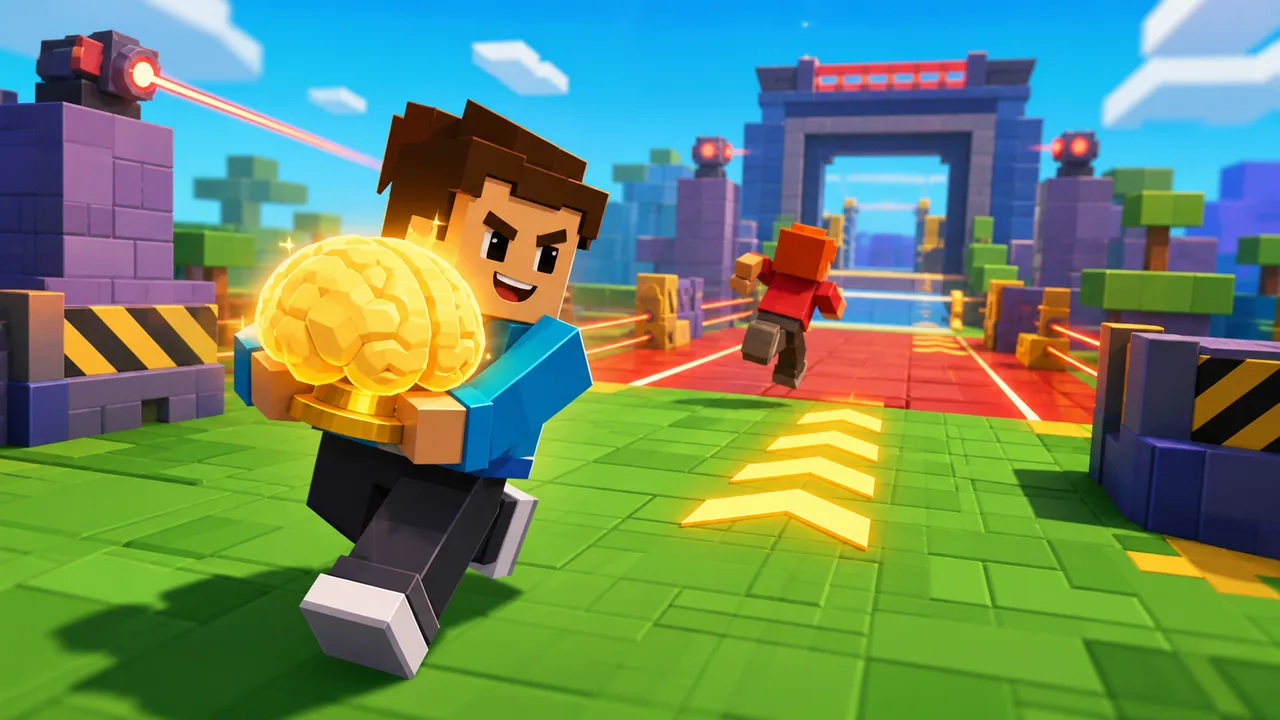
 Steal A Brainrot Unblocked
Route check
Plan a safer raid
Use this quick check before pressing play. It helps you decide whether to attack now, wait for space, or defend your base first.
Choose a target and route, then check whether this raid is worth taking.
Play now
Steal A Brainrot Unblocked Online
Play the 3D browser game directly on this page. Load the arena, raid rival bases, carry brainrots home, and use the guide below to learn safer routes before you chase bigger rewards.
How to start
Start the 3D browser game
Click inside the player, wait for the 3D arena to load, then use keyboard movement to raid rival bases, carry a brainrot back, and protect your own collection.
Game guide
Steal A Brainrot Unblocked gameplay guide
The playable frame above is the main experience on this page. Load the 3D arena, click inside the player so the browser sends keyboard input to the game, then start looking for a rival base with a route you can safely enter and leave.
A good run is not only about grabbing the most expensive target. The safer choice is often a lower-value brainrot with a clean path back to your base. Once you understand where players gather, which entrances are risky, and how long the return trip takes, bigger steals become easier to protect.
First run
How to play from this page
Start by waiting for the Unity WebGL game to finish loading. If the frame looks ready but the character does not move, click once inside the player before pressing movement keys. Desktop and Chromebook browsers usually feel best because the game rewards quick turns and steady camera control.
Use movement to scout before you commit. Enter a rival area only after you can see a return lane, then move directly back instead of stopping in the open. If another player turns toward you, avoid the busiest path and take the route that gives you the most space to correct mistakes.
Controls
Controls and device notes
Most builds use keyboard movement such as WASD or the arrow keys, with the exact prompts shown inside the game frame. The important first step is focus: browser games inside iframes often ignore keys until the player has been clicked or tapped once.
Phones and tablets may load the game, but a 3D stealing game is easier when you can see the whole lane and react without covering the screen. If you play on mobile, rotate to landscape, close extra tabs, and give the WebGL frame a few seconds before judging performance.
Strategy
Safer raid strategy
Treat every steal as two decisions: whether the target is worth taking, and whether the return path is still open. Many failed runs happen because the first decision is exciting and the second decision is ignored. Check the route home before you grab anything valuable.
When you are carrying a brainrot, do not drift near rival entrances or pause in the middle of a lane. Keep moving, turn early, and choose open space over the shortest line if the direct route is crowded. Small successful raids build progress more reliably than one risky attempt that ends before you reach base.
Access
Unblocked browser access
This page is built as a browser play page instead of a download page. The game loads in an embedded player, while the surrounding page keeps the controls, tips, and related games available without sending you through another landing page first.
Access can still depend on the network you are using. A school, work, or public connection may block third-party game files even when this page itself loads normally. If the game stalls, refresh once, try a modern browser, and make sure the iframe is allowed to finish loading before switching away.
On-page play
What this page includes
The homepage is meant to work as the play page, not only as a doorway to another URL. The game player appears before the guide, and the support text explains loading, controls, route planning, and basic troubleshooting for the same game shown above.
Keeping the player and guide together helps players act on advice immediately. You can read a short tip, return to the frame, test the route, then scroll back for the next section without losing the session or opening a separate instruction page.
Troubleshooting
If the game does not respond
First, click inside the game frame and try the movement keys again. If that does not work, wait a little longer because larger WebGL games can show a loaded screen before every asset is ready. A slow network can make this gap feel like the game is frozen.
If the frame remains blank, refresh the page once and avoid pressing several controls while the game is still loading. Some restricted networks block external game hosts, so a different browser profile, home connection, or allowed network may be needed when the page loads but the embedded game files do not.
Intent
Why players search for this game
Players usually look for this title because they want quick access to the 3D raid loop: find a target, steal it, return home, and protect the collection. The page answers that intent by putting the player first and supporting it with practical guidance instead of only listing a link.
The game also fits short sessions. You can run a few raids, test a safer route, or practice defending your own base without installing a client. That makes the browser version useful for players who want fast play, simple loading, and enough context to improve after the first attempt.
FAQ
Quick answers before playing
Is the game free? Yes, the page is set up for free browser play. You do not need to download a local installer from this site, and the game frame opens directly above the guide.
What should beginners do first? Learn one dependable route before chasing rare targets. A familiar path gives you more time to react, especially when another player blocks a direct return or moves toward your base.
Why does the player take time to start? Unity WebGL games can be heavier than simple HTML5 games, so the first load may need extra time for scripts and assets. Keep the tab active until the frame responds.








Fresh picks
Newest browser games
More quick-play games you can open from the same layout after finishing a raid session.