 Rocket Goal
Rocket Goal
- Developer:
- Gameflare
- Rating:
- New
- Released:
- Technology:
- Unity WebGL iframe
- Platforms:
- Desktop, Mobile, Tablet
Game overview
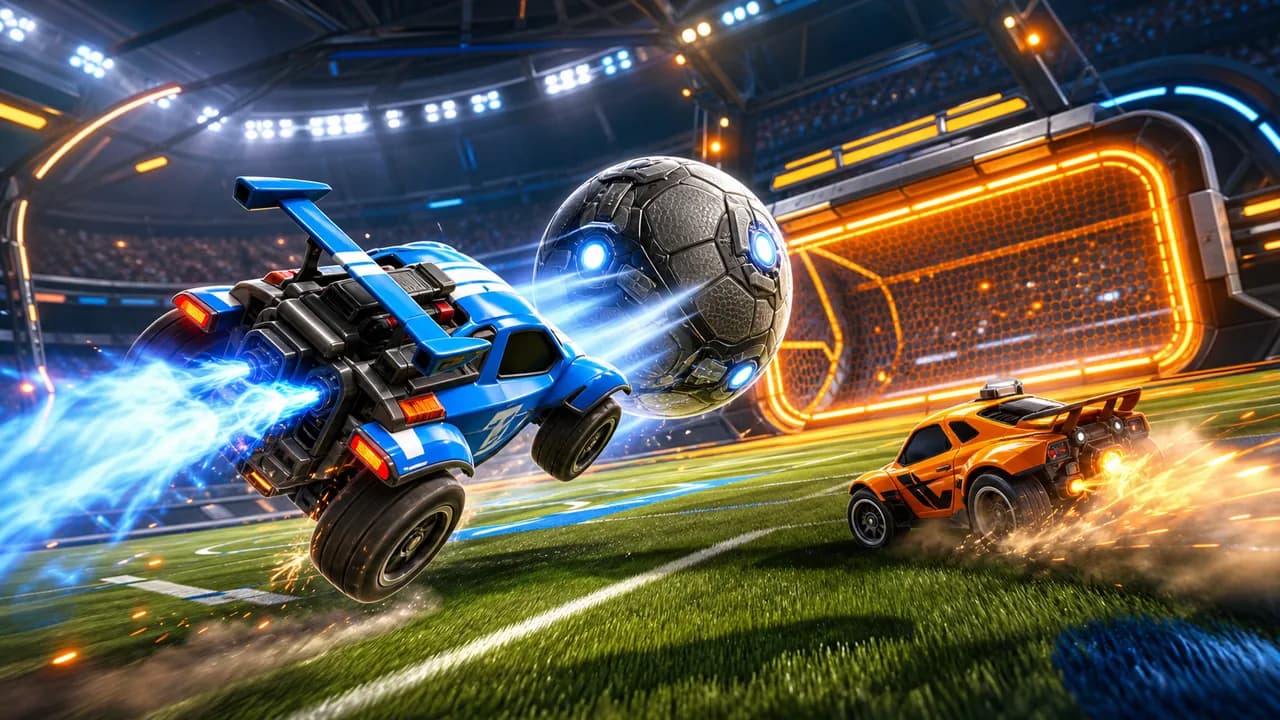
Play Rocket Goal online for free, a browser car soccer game with rocket-powered vehicles, fast arena goals, and competitive multiplayer-style action.
How to play
- Click play, wait for the Unity WebGL frame to finish loading, and focus the game by clicking inside the player.
- On desktop, use the keyboard controls shown by the game to steer, accelerate, brake, and recover after contact.
- Chase the ball with your car, aim your touches toward open space, and push shots into the rival goal.
- Use boost, jumps, or aerial moves when they are available, then rotate back quickly so your own goal stays covered.
 Football Bros
 Slope Unblocked
 Bit Planes
 Acceleration City
 Steal A Brainrot Unblocked
 FNF Unblocked
 Snow Rider 3D Unblocked
 Planet Clicker
 Bear Clicker
 Core Ball
Walkthrough
Rocket Goal guide
Drive rocket cars, chase clean angles, and score arena goals in browser car soccer.
Play Rocket Goal online
Rocket Goal turns car soccer into a fast browser match where your vehicle is both the striker and the defender. You drive a rocket-powered car across a bright arena, attack a heavy ball, and try to send it through the glowing goal before the other side clears it away.
This Rocket Goal page is built for players who want direct access without a download. The playable frame uses the live RocketGoal.io Unity WebGL build, so the game opens inside the browser while this page keeps the guide, controls, and related games close by.
What makes Rocket Goal different
A normal soccer game asks you to pass and shoot with players. Rocket Goal changes that rhythm by making every touch depend on vehicle speed, angle, and recovery. A clean hit from the side can be stronger than a full-speed crash straight into the ball, especially when the bounce sends the ball away from your net.
The best moments come from reading the arena before you boost. You can pressure the ball, pull back to guard the goal, or use the wall to set up a better shot. That mix of sports positioning and racing-style control gives Rocket Goal a quick loop that still rewards practice.
- Attack the ball from an angle instead of chasing it in a straight line.
- Recover after each touch so you are ready for the next bounce.
- Balance scoring pressure with simple defense near your own goal.
Rocket Goal controls and device notes
Start by pressing the play button and giving the Unity WebGL frame a moment to load. Desktop play is usually the smoothest option for Rocket Goal because keyboard driving makes it easier to steer, brake, and line up a shot while the ball is moving quickly.
Phones and tablets may load the browser version, but car soccer needs precise timing. If you play on a small screen, rotate to landscape, tap inside the game frame, and wait for all assets to finish loading before judging performance. Older devices or restricted networks can take longer to start a WebGL game.
Tips for scoring more goals
Do not hit every ball at maximum speed. Look at the open side of the arena, turn the nose of your car toward the next bounce, and then make contact. When the ball is near a wall, a softer angled hit can center it for a better follow-up instead of sending it into a corner.
Watch the other car as much as the ball. If an opponent commits to a jump or boost, you can often wait for the miss and take a cleaner shot. When you lose control, recover first, then rejoin the play. A quick defensive turn often prevents an easy goal and gives you another chance to counterattack.
For cleaner attacks, think one touch ahead. A controlled first hit can move the ball into open space, while the second touch becomes the shot. That simple setup is often more reliable than forcing a difficult angle from the corner.
- Clear danger first when the ball is rolling toward your net.
- Use short bursts of speed to adjust your line before impact.
- Aim for open goal space, not only for the center of the ball.
Why players search for Rocket Goal unblocked
Many players search for Rocket Goal, RocketGoal, rocket goal io, or rocket goal unblocked because they want a car soccer game that runs in the browser. This page matches that intent by keeping the game easy to open and by explaining how the arena, vehicle control, and scoring loop work before you start.
Rocket Goal also fits short sessions. You can play one quick match, practice cleaner driving lines, or keep trying for better shots without installing a large client. It is not the official Rocket League game, but it gives browser players a separate rocket soccer experience focused on fast goals, quick recoveries, and repeatable WebGL play.